Thursday, 17 December 2009

Further 3 point lighting investigation and research

I have previously mentioned I performed a 3 point lighting test run


As I researched into various lighting techniques I learnt about 3-point lighting. I choose to use this lighting, as I wanted to light my subject evenly while giving some definition from the background.

While researching in to lighting I became aware of variations of three point lighting, what effects can be achieved with these variations as well as how and where it may be used.

Below are Wikipedia links containing more information about high and low key lighting. I have chose not to reword Wikipedia’s description as I feel they have adequately described these two variations of three point lighting in a way which I understand and can not improve.

High Key

http://en.wikipedia.org/wiki/High-key_lighting

Low Key

http://en.wikipedia.org/wiki/Low-key_lighting

Lyndia Tutorials (Learning to navigate the Final Cut Interface)


For this project I wished to advance my editing skills. Previously I have worked in iMovie but I felt I was now being limited by this app as there were certain things I wished to achieve that I could not create or execute with this app.

Having an awareness of digital video I knew that I needed to progress to using Final Cut Pro (not only to achieve good results for this project but also to make employable as a video editor in the future.)

I had previously used final cut but felt somewhat unfimilair with it’s interface. I knew I need to improve if I wished to use this to edit my final piece of video.

The tool I used to help me learn to navigate and use the various features available in Final Cut was Lynda Final Cut Pro Training. After watching this video I felt much more comfortable with the interface and controlling various features.

Final Cut has now my editing tool of choice as it allows me to have great control creatively over any footage that I have shot

Self Reflection from last years feed back -


It has previously been mentioned to me that when I have handed in work I have not provided enough documentation. On self-reflection this is because I have been under the false understanding that my final product demonstrates the knowledge I have learnt.

However on this occasion and I am aiming to divulge as much information as possible regarding various topics I have read into to help me create my final product.

They will appear in subsequent blog posts to this one.

Wednesday, 25 November 2009

Radio Plus (A new kind of interactive radio?)

During research into making my video podcast I have also been investigating Internet Radio (somewhat of a dead / old format now) However I have been using services such as blogtv.com and ustream allowing listeners to interact with me as the show is broadcast (I guess you could call it Radio+ or Interactive Radio ?)

Hear are some screen shots


The challenge for me is to give the show a context.

One idea that I particularly like is to extend the communications between people that happen after conferences.

Recently I have been attending lots of BarCamps, Open Coffee and Tech conferences, perhaps a follow up Radio Plus show where people from the conference can come and meet up virtually, to further discuss their thoughts once they have digested ideas from the conference would be of use. (I think this is an idea I can develop further, I would need to speak to each speak at the event and ask them if they would like to be part of the Radio Plus show. Then it would just be a case of routing their audio into the stream (which I believe I could do via skype)) If any one would be interested in developing this idea with me then please get in touch with me. There is a link at the top of this page with my contact details

Saturday, 14 November 2009

Bradford BarCamp

On Saturday the 14th of November (2009) I attended Bradford BarCamp with the intentions to shoot a video to be edited in to content that would be put online


To shoot the video I took with me a Sony HDR-FX7


For those of you who have not been to a BarCamp before they tend to be quite small informal events, where speakers and presentations are give by people from the audience.

There is nothing discrete about pointing a Sony HDR-FX7 at someone, and I felt somewhat awkward, bustling in to a room wiith my large peli case

to then start unpacking the camera and point it at someone who perhaps hadn't had that much experience at public speak.

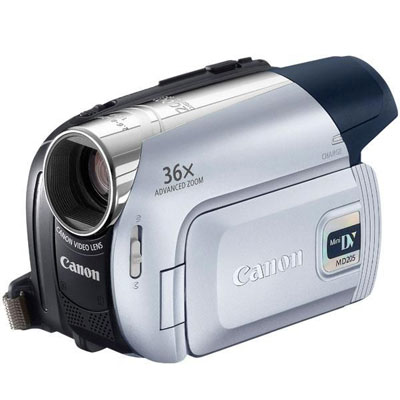
This is in stark contrast to when I attended PhotoCamp Bradford and took my Canon Mini DV MD205 with me


This camera seemed to provide the perfect balance of portability and discretion for filming. So although I captured no footage today I learnt the following

  • I need to use a camera that is appropriate to the event I will be filming.

  • A camera assistant would be a useful asset. While at BarCamp I found it awkward to have to move from room to room. After setting up the camera I then need to move the peli case somewhere where people would not trip over it. These required me to leave the camera on the tripod (another potential trip hazard for people) while I moved the case. Another problem I encounter was having to open large heavy doors. Not an easy task when you have a camera in one hand and a tripod in the other.

    Working with video at this higher level (rather than just producing short clips from my bedroom) has made me realise that if I want to improve my work, I need to work with other people, I am now looking to use a noded network of people interested in creating video around similar topics and subjects as I wish to create video around.

  • Wednesday, 11 November 2009

    As I continue to teach myself to use video software at a much higher level than I have ever done before, I have now started to continue to build my knowledge of After Effects.

    This is something small and rough I have put together just to help me get a feel and idea for a title sequence.

    (At this inital stage there has been no thought put in to colour or typography, it was just a small exercise which enabled me to investigate the posibilities of using this software for creating titles)


    Monday, 9 November 2009

    Three Point Lighting Test Run

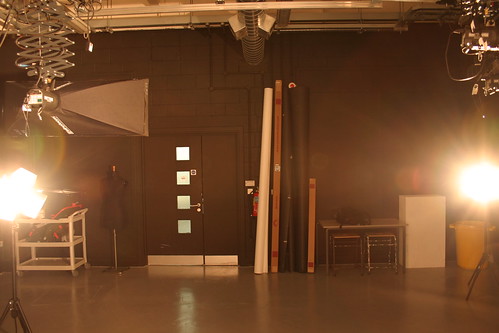
    I rented out some studio space in college. This video podcast project is the first time I have worked with a professional lighting setup and I wanted to get some experience before shooting the final piece.

    IMG_4431

    Above is my view as I faced the camera to present my podcast. Even though the lights were not particularly close to me I could still feel the extreme heat they were giving off. After about 10 seconds of standing in font of the lights I quickly became blind, which help relieve my awkwardness of being in a large room talking to a camera

    IMG_4425
    The Final Set Up

    After adjusting the lights a number of times, I was able to evenly light the backdrop.

    IMG_4437

    This was my 1st attempted at lighting myself and the background with 3 point lighting. After taking this picture and reviewing it was evident that I had created a harsh highlight on my right hand cheek. My initial thoughts was that this was from the Key Light

    IMG_4440

    In the above picture I have moved the Key Light further away from myself and opened up the barn doors on the light. I still have a highlight on my right hand cheek, and have also lost a lot of detail on the rest of my face.

    IMG_4445

    After reviewing the pictures again I realised the light creating the highlight on my face was coming from behind me and was caused by the back light. I fully opened the barn doors on the back light and opened up the barn doors on the other lights to create a nice even light on the whole set, as demonstrated in the picture above.

    I am very pleased with the final result I achieved. Although I have always been aware that lighting is very important when using video, this exercise has made me realise what a vast difference lighting can make to the over look and feel to a piece of video. I think it is also important to note, when I imported the video into Final Cut, and attempted to white balance and colour correct the footage, I could not improve on what I had already created. This will be a big time saver for anyone who has limited time in post production.

     
    Clicky Web Analytics